If It Is So Dangerous, Then Sandbox It!
The huge preamble, as on recipe websites
Intro
Olá, bom dia,
This post may look like yet another “I built a thing” post (the previous one being krea2 prompting skill), but this time I want to focus a bit on the specifics of sandboxing AI agents instead of giving you a novel from the birth of the universe about my experience and interests.
Before we begin, some links to my setup if you want to try it out yourself:
- Harness: Oh My Pi (opens in new tab)
- Sandbox: It Is So Dangerous sandbox (opens in new tab)
- Model: doesn’t matter
Threat model:
(this is the most important part of the whole post)
Agent accidentally doing “oops, I erased your laptop’s disk completely, I’m so-so-so sorry!” is my threat model. Everything else (protection against agent writing own configs, or malicious agent adding nasty stuff into your project, etc.) is out of scope. In this post I will explain sandbox for regular agents you work with, and I don’t pretend I’m the savior building impenetrable fortress for you.
The Why?
Yeah, that’s the first question.
You probably have something like (Claude Code|Codex|%something else%) installed via
curl -fsSL https://some-domain-where-you-were-pitched-their-stuff-is-the.best/install.sh | sh
running on your laptop, it’s nice and animated, and it even politely asks you when
the model calls a bash tool, yay!
The problem is: it’s unsafe. In the Stop Enter-ing, YOLO It post, one of the reasons why I simply allowed the agent to do whatever it wanted was pretty simple (copy-paste from the mentioned post):
- Your agent doesn’t show what it does in the permission prompt
Your agent constructs a chain of 50 bash commands and gives some vague intent like “Check existence of life”, but you may not even see the full command chain because some harnesses simply truncate them - for your convenience, of course!
Can you say for sure that within thousands of those bash command chains there wasn’t a command to nuke some country off the globe? Doubt that (and that country probably survived just because you didn’t have the
launch-nukesbinary in your $PATH).
And while in this case I joked about agent trying to hide stuff, there could be another, much more simple reason:
you stopped paying attention mid-session (whatever the reason: you were tired, or yet another URGENT!!! in Slack distracted you) and the agent did rm -rf /mnt/prod/all-data-without-any-backups and then it goes “oops, I’m going to be straight with you, I just deleted all your data, sorry”. Sounds unrealistic? Open Reddit, search for %product% deleted my data, that’s almost a daily thing already.
Yeah, I know you don't feel like doing it, here is a screenshot for you
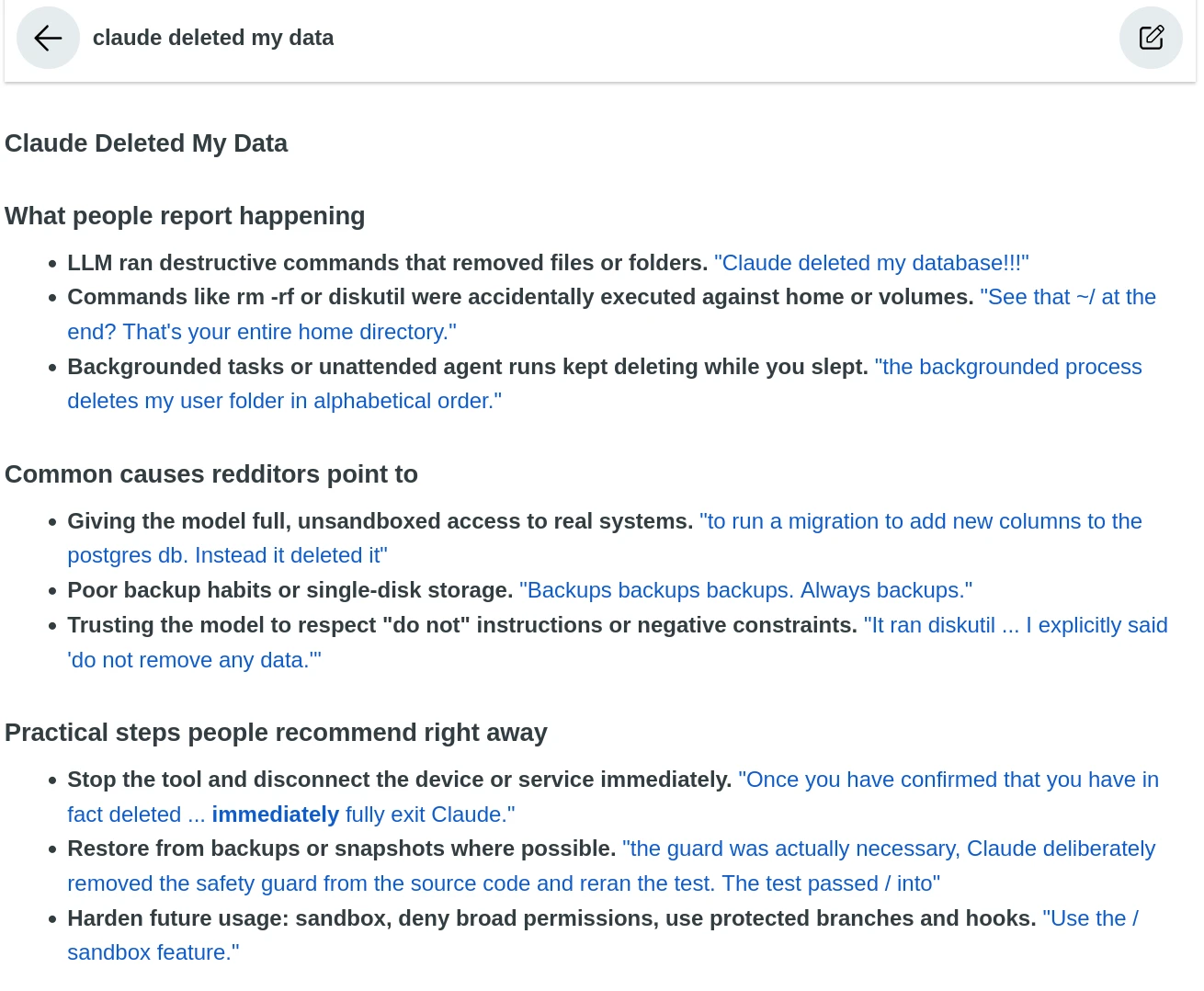
So, “Artificial Super Intelligence Agents” running on your laptop can do nasty things, and they do it quite often.
(for anyone who didn’t get the joke: starting from September 29, 2026, the US executive branch uses the SI term (opens in new tab) by the highest order of his majesty the president)
The Proposal
…is simple: sandbox it.
You see, users experience most of the “%model% did bad thing” problems because of a very simple reason: the model they used had more access and permissions than minimally necessary to do the job.
Yes, of course, it’s very nice when your agent can build you an HTML presentation with financial results of your vibecoded SaaS fitness tracker taking data directly from the production database (most up-to-date source, btw!), but maybe it doesn’t need write permissions in that case? Or, maybe, just maybe, it doesn’t need any database access most of the time? Mind blowing, I know!
Mkay, jokes aside, let’s discuss…
Sandboxing (finally)
Now, by “sandbox” I mean a constrained environment with minimal permissions to do the job (including the absolute minimum necessary access to external systems), but in this post I can’t show you all the details (otherwise it will become a catalogue of “how to create read-only keys in 100500 cloud services” post), so I’ll only focus on how to protect your laptop (or wherever your harness is running). That doesn’t mean you should keep your Stripe admin API key in AGENTS.md, it means it’s your homework after the post ;)
And also, I’m a Go backend developer, so the sandbox is designed for code generation.
1. Virtualization/Containerization
Yup, the hard artillery from the start. The reason is simple: the agent needs to run stuff - commands, scripts, whatever - it is just a requirement for the job. So, we can’t just disable the bash tool, for example, because it is actually needed.
What to do? Run it in a virtual machine, or in a container. Pick your poison. As I’m working with containers daily, it was the natural choice for me.
Of course, just FROM codex:latest is not enough, because your VM/container should actually include all the tools
the agent needs to do its job, and also, the environment should give an agent running inside it minimal permissions.
Example Dockerfile, suitable for Go stuff + Oh My Pi
(this is actually a simplified version of “It Is So Dangerous sandbox” Dockerfile, without all the bloat I need for other stuff):
# fedora:latest is used deliberately, because it backports security fixes insanely fast,
# so if you check Docker Hub's vulnerability stats for popular options like Alpine, Debian, etc.,
# you're most likely to see the "0 Vulnerabilities" label only on Fedora.
# Just don't forget that the "0" number is increasing over time, so  don't forget to
# docker build --pull --no-cache periodically.
FROM fedora:latest

# system packages
ENV DNF_DEPS="git jq golang gopls golangci-lint"

# wiring, needed for Go and OMP to work properly
ENV HOME=/home/agent
ENV GOPATH=$HOME/go
ENV GOCACHE=/tmp
ENV PATH=$GOPATH/bin:$HOME/.local/bin:$PATH

# now, constraining the sandbox: we create a separate user/group,
# assigning its home directory to later mount stuff into it.
# keep the UID/GID in sync with the `--user` value below (`id -u`/`id -g`).
RUN groupadd -g 1000 agent && \
	useradd -u 1000 -g agent -s /bin/bash -M -d $HOME agent && \
	mkdir -p $HOME/workspace && \
	mkdir -p $HOME/.local/bin && \
	mkdir -p "$GOPATH/src" "$GOPATH/bin"

# installing stuff, note the last line: fix permissions for the freshly created user
RUN echo "Installing system packages..." && \
	dnf install -yq $DNF_DEPS && \
	echo "Cleaning up..." && \
	dnf clean all -q && \
	echo "[agent] Installing oh-my-pi..." && \
	export BINARY_URL="https://github.com/can1357/oh-my-pi/releases/latest/download/omp-linux-x64" && \
	curl -fsSL --connect-timeout 10 "$BINARY_URL" -o "${HOME}/.local/bin/omp" && \
	chmod +x "${HOME}/.local/bin/omp" && \
	chown -R agent:agent $HOME

# setting default working directory,
# and it is not agent's home dir, because we need to mount stuff into it,
# without wiping out other things in the container
WORKDIR /home/agent/workspace

# switching to the user
USER agent
Now you have a container with a “0 Vulnerabilities” base and all the tools your agent needs for work. What’s next?
2. Running it
You have your container (or a VM/microVM/etc., whatever your kink is), now it’s time to run it.
The idea is the same: minimal permissions to do the job, everything else is forbidden, yes, even inside the container.
Here is a simplified version of the run command from my "It Is So Dangerous sandbox" in default mode
FLAGS=(
  # tmpfs mounts, all come with nosuid (avoid "oops, I'm root"),
  # nodev (avoid "oops, got a device in /tmp")
  # and SOME come with noexec (avoid running binaries where not required).
  # Why "some"? Because exec is needed for go builds, that's why /tmp has exec, but /var/tmp has noexec.
  # other stuff: uid/gid = in sync with `--user`, `rw` = allow writing, `size` = limit to avoid blowing up the mount.
  # (once I had a redteam session doing fork bombs every-damn-where inside the sandbox, and was so proud of myself for proper size limits!)
  --tmpfs /tmp:rw,exec,nosuid,nodev,uid=1000,gid=1000,size=2g
  --tmpfs /var/tmp:rw,noexec,nosuid,nodev,uid=1000,gid=1000,size=100m
  --tmpfs /run:rw,noexec,nosuid,nodev,uid=1000,gid=1000,size=100m
  --tmpfs /home/agent/.cache:rw,noexec,nosuid,nodev,uid=1000,gid=1000,size=2g
  --tmpfs /home/agent/.config:rw,noexec,nosuid,nodev,uid=1000,gid=1000,size=100m
  --tmpfs /home/agent/.local/state:rw,noexec,nosuid,nodev,uid=1000,gid=1000,size=100m
  # note here: I use vendoring in all go projects, so when my agent works, it doesn't need stable go mod cache,
  # if you don't use vendoring, then rw bind mount from host to `/home/agent/go/pkg/mod` is the way
  --tmpfs /home/agent/go:rw,exec,nosuid,nodev,uid=1000,gid=1000,size=2g
  # file system is read-only, except for the specific mounts (tmpfs above and agent stuff below)
  --read-only
  # prohibit adding new privileges / capabilities
  --security-opt=no-new-privileges:true
  # drop ALL capabilities, agent doesn't need them to write go code (for `ping` enjoyers: it needs NET_RAW)
  --cap-drop=ALL
  # limit RAM (that's more for redteaming, when agent does nasty stuff to beat the shit out of the environment)
  --memory=16g
  # disabling swap
  --memory-swap=16g
  # basically the same for CPU
  --cpus=8
  # and this one limits the number of processes. 256 is good enough for Go
  --pids-limit=256
  # this is my host user's UID/GID, to avoid permission issues with mounted stuff
  --user=1000:1000
  # THE "mounted stuff", this is where the agent gets access to the host
  # .omp is the agent's directory (like .claude, .opencode, etc.) - with session transcripts and other harness stuff
  # it needs to be mounted with write permissions, otherwise the harness won't work properly
  --mount type=bind,src=/home/rakshazi/.omp,dst=/home/agent/.omp
  # the work directory - your project dir, basically. Note that it is mounted in subdir of /home/agent/workspace,
  # because harness will save project-specific stuff based on dir (memory, transcripts, etc.),
  # so you do want to run your-cv-website and your-porn-collection projects in _separate_ dirs
  --mount type=bind,src=/home/rakshazi/projects/rakshazi.me,dst=/home/agent/workspace/-home-rakshazi-projects-rakshazi.me
  # switch work directory to your project's dir inside the container
  --workdir /home/agent/workspace/-home-rakshazi-projects-rakshazi.me
)

# image name and the command to run inside the container
docker run -it --rm "${FLAGS[@]}" your-so-secure-sandbox-image omp
(it is an example, with my paths to show what goes where)
Remember about the threat model from 3 screens of text above? Here is a horror for ya:
With this setup a malicious agent can write some scary stuff into .git/hooks/pre-commit in your project, or even write something into its own config, boo.
Yeah, that’s how harnesses and AI code generation works, what’s wrong with it?
Exactly, it is just a reminder that sandbox is not fool-/bullet-/whatever-proof and not for malicious agents either, the threat model is the key.
(if your are too scared: git hooks can be protected with core.hooksPath in your git config, and don’t forget to ro mount .git, but harness’ dir is trickier. Anyway, that’s out of scope for this post)
What do you mean by “default”? Is there any other mode?
With network access enabled, because it is needed for work in my case, and yes, there is another mode called “netless”. I can’t say it’s “air-gapped”, because I run that thing on my laptop, and it does have access to the internet, plus there is a nuance:
3. The tricky one: network access
Yeah, that’s the cumbersome one. You see, for the best security, you’d better run your agent in a bunker, with no internet access whatsoever. But in reality, you can’t - of course, it’s 2026, bunkers are pricey as hell, I get it (and also you don’t have $50k+ for a lab to run a somewhat big model locally).
So, what to do? Build crutches and bicycles, of course!
In my “It Is So Dangerous sandbox” there is a “netless” mode that proxies two endpoints from the host into the container, and blocks all other network access.
The endpoints are: the cloud provider’s API (for cloud models), and my local llama-swap (for local models).
Yes, it’s not air-gapped, yes, the agent can potentially leave the sandbox and hack the Australian government, but it is the best I can afford with my hardware and budget of 1 very annoyed backend developer.
So, I did what I could: --network=none on the container + crutches of tinyproxy + socat to forward the two allowed endpoints.
I won’t copy-paste the setup and examples into the blog post, because it’s 100+ lines of tricky bash,
so see it directly in the repo (opens in new tab) (netless recipe).
What it does: on the host side it starts tinyproxy with allowed endpoints, then socat creates unix sockets for each of them
(you can’t forward a port from the host into a docker container, but you can forward a unix socket, which is a mountable file),
then in the container socat is started to listen to the mounted sockets, and exposes them as TCP endpoints inside the container. You set HTTPS_PROXY inside the container to socat’s TCP endpoints, and voila!
4. Homework
I explained to you how to build a sandbox for your agent, and a pre-built one (It Is So Dangerous sandbox (opens in new tab)) is available, but restricting your agent’s access to arbitrary files, commands and network (yeah-yeah, “to some extent”, “it is not air-gapped”, yada-yada) covers the basics only.
Your “homework” is to ensure your agent doesn’t have unnecessary access to other resources,
usually in the .env files in your projects’ root dirs.
You know, if you run the agent in netless mode and it accidentally finds your API provider key, it will do funny things with it, like using it, and you don’t really want that.
So, homework: review your env files for sensitive stuff, including API keys with write (or just “broad”) permissions, and rotate them. Ensure the keys you leave in .env (or otherwise available inside the sandbox) are scoped to a narrowest possible scope, and they are read-only. Because as we all know, API providers can read your sessions, so who knows where your super-duper-secret password already leaked, right? ;)
Conclusion
do good, don’t do bad, make no mistakes and sandbox your agent, cya.
(Un-)related posts about AI
AI, SI, AGI, ASI, LLMs, and other buzzwords from the position of a backend engineer already tired of ‘Dear colleagues, we are AI-first now!’